When you’re starting in digital marketing, choosing the right tools can feel overwhelming.
Search for digital marketing tools online, and you’ll find hundreds of options. Some promise better SEO, others help with analytics, content creation, advertising, or reporting. Many offer free trials, but eventually require a paid subscription.
The good news? You don’t need expensive software to build useful digital marketing skills.
Working across SEO, website management, analytics, and digital strategy has taught me that understanding a few tools well is more valuable than collecting dozens of subscriptions.
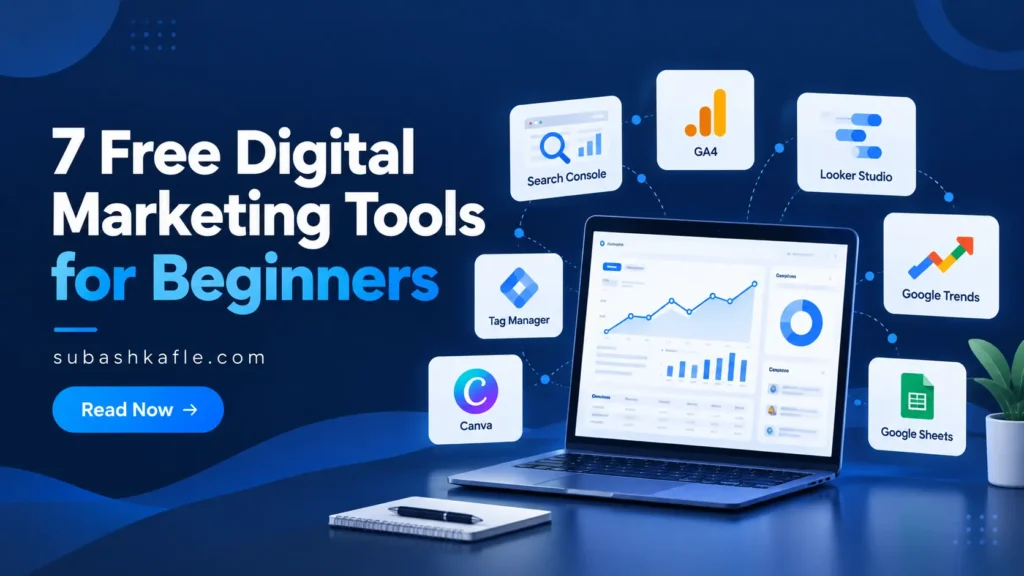
If I were building my digital marketing skills today, these are seven free tools I would focus on first.
Not because they’re the most popular, but because they help answer real marketing questions.
A Quick Comparison of the Best Free Digital Marketing Tools
Before exploring each tool, here’s what I would use it for.
| Tool | Best For | Skill You’ll Learn |
|---|---|---|
| Google Search Console | Search visibility | SEO performance |
| Google Analytics 4 | Website traffic | Marketing analytics |
| Looker Studio (Data Studio) | Dashboards | Data visualization |
| Google Trends | Topic research | Audience research |
| Google Tag Manager | Website tracking | Measurement setup |
| Canva | Visual content | Content creation |
| Google Sheets | Data organization | Reporting and analysis |
Each tool solves a different problem. Together, they cover many of the skills you’ll use in digital marketing.
1. Google Search Console — Understand How People Find Your Website
If you’re learning SEO, Google Search Console is one of the first tools I recommend.
It’s free and helps you understand how your website appears in Google Search.
You can see which search queries bring visitors to your website, how often your pages appear in search results, and how many people click through.
For example, imagine publishing an article about WordPress SEO. Search Console can show which queries generated impressions and whether those impressions turned into clicks.
That information helps you identify opportunities to improve your content.
What I would learn first:
- Search impressions and clicks.
- Click-through rate (CTR).
- Search queries and page performance.
- Indexing issues and sitemap submissions.
Beginner exercise: Open the Performance report and identify three search queries associated with one of your pages.
Remember, Search Console doesn’t automatically improve your rankings. It provides information to guide your SEO decisions.
If you haven’t connected your website, follow my step-by-step Google Search Console setup guide.
Try the tool: Google Search Console
2. Google Analytics 4 — Learn What Visitors Do on Your Website
Google Search Console helps explain how people find your website through Google Search.
Google Analytics 4 (GA4) helps you understand what happens after visitors arrive.
This difference is important.
A website might receive traffic from Google, social media, email campaigns, and other websites. GA4 helps you compare these traffic sources and understand visitor engagement.
For beginners, I recommend focusing on a few useful reports instead of exploring every available feature.
Start with the Traffic acquisition report to understand where visits originate. Then review Pages and screens to identify which content receives attention.
What I would learn first:
- Users, sessions, and page views.
- Traffic acquisition channels.
- Engagement metrics.
- Key events and meaningful visitor actions.
Beginner exercise: Compare organic search and social traffic over the past 30 days. Which channel brings more visits, and how does engagement differ?
GA4 needs proper tracking setup, and privacy settings can affect the data collected.
I’ve explained the most useful reports in my guide, How to Track Website Traffic in GA4: 5 Reports That Matter.
Try the tool: Google Analytics
3. Looker Studio — Turn Marketing Data Into Useful Reports
Collecting marketing data is one thing. Explaining what it means is another.
That’s where Looker Studio becomes useful. Google’s current documentation also refers to the tool as Data Studio.
The free version lets you create interactive reports using charts, tables, and filters.
You can connect supported data sources such as Google Analytics, Google Search Console, and Google Sheets.
Instead of opening several dashboards to review performance, you can bring important metrics into one report.
I think this is an especially valuable skill for anyone interested in marketing analytics or digital strategy.
What I would learn first:
- Connecting a data source.
- Building scorecards and charts.
- Adding date filters.
- Presenting metrics clearly.
Beginner exercise: Create a simple website performance dashboard showing users, sessions, and traffic sources from GA4.
Start with a report that answers a clear question. A dashboard with ten useful metrics is better than one with fifty numbers nobody understands.
The standard tool is available at no cost, although some third-party connectors and advanced features may require payment.
Try the tool: Looker Studio / Data Studio
4. Google Trends — Discover What People Are Interested In
Before creating content, I like to think about what people are searching for and whether interest in a topic is changing.
Google Trends helps with that research.
You can compare search terms, explore interest across regions, and identify seasonal patterns.
For example, if you’re planning articles about SEO and digital marketing, you could compare interest in two related topics over the past year.
That might help you decide when to publish certain content or which subjects deserve further research.
What I would learn first:
- Comparing search topics.
- Understanding interest over time.
- Exploring regional differences.
- Identifying related queries.
Beginner exercise: Compare two digital marketing topics in the United States over the past 12 months. Look for seasonal patterns or unusual spikes.
One important detail: Google Trends uses a normalized 0–100 scale. It does not show exact monthly keyword search volumes.
Use it alongside keyword research tools rather than treating it as a complete SEO solution.
Try the tool: Google Trends
5. Google Tag Manager — Understand How Website Tracking Works
Google Tag Manager (GTM) is slightly more technical than the other tools on this list.
But I believe it’s worth learning if you want to work with website analytics, advertising, or conversion measurement.
GTM helps you manage tracking tags without manually editing your website code every time you make a change.
For example, you might want to measure when someone clicks a particular button or submits a form.
Depending on the tracking requirements, you can configure tags and triggers through GTM.
What I would learn first:
- Tags, triggers, and variables.
- Website container installation.
- Event tracking basics.
- Preview mode and debugging.
Beginner exercise: On a test website, explore the GTM interface and use Preview mode to understand how tags fire.
Be careful not to duplicate tracking already installed through another method. Always test changes, and follow applicable privacy and consent requirements before publishing tracking tags.
You don’t need to master GTM immediately. Learn GA4 first, then return to GTM when you’re ready to understand how measurement works behind the scenes.
Try the tool: Google Tag Manager
6. Canva — Create Better Marketing Visuals
Digital marketing isn’t only about numbers.
You also need content that communicates clearly.
Canva is useful for creating social media graphics, presentation slides, blog images, and other marketing materials without advanced design software.
Its free plan includes a drag-and-drop editor, templates, and design elements.
For someone starting in digital marketing, learning basic visual design can make a noticeable difference in how professional their content looks.
What I would learn first:
- Using templates without copying everything.
- Choosing readable fonts.
- Creating consistent colors and layouts.
- Exporting images for websites and social media.
Beginner exercise: Design one blog featured image and adapt the same concept into a vertical Pinterest graphic.
Focus on readable text, clear spacing, and a simple message.
You don’t need every premium feature. Some templates, assets, and advanced tools require a paid plan, but the free version is enough to practice essential design skills.
Try the tool: Canva
7. Google Sheets — Build Stronger Marketing Reporting Skills
Google Sheets might not sound like a marketing tool, but I consider spreadsheet skills essential.
Even with analytics dashboards and automated reports, you’ll regularly need to organize information, compare performance, and check calculations.
Sheets helps you do that without specialized software.
You can build a content calendar, organize keyword research, track campaign results, or prepare a simple monthly report.
What I would learn first:
- Sorting and filtering data.
- Basic formulas such as SUM and AVERAGE.
- Charts and pivot tables.
- Organizing reports consistently.
Beginner exercise: Create a spreadsheet containing five blog posts, their publication dates, clicks, impressions, and CTR from Search Console.
Sort the table to identify which articles are receiving the most search attention.
This teaches an important lesson: before building a complicated dashboard, make sure you understand the underlying data.
Anyone with a Google Account can create spreadsheets using Google Sheets, although certain advanced Workspace features are paid.
Try the tool: Google Sheets
Which Digital Marketing Tool Should You Learn First?
You don’t need to learn all seven at once.
If you’re starting with SEO, begin with Google Search Console and Google Trends.
If you’re interested in marketing analytics, focus on GA4 and Google Sheets before moving into Looker Studio.
For social media and content marketing, Canva offers an easier starting point.
And if you want to specialize in analytics implementation or conversion tracking, Google Tag Manager is worth exploring after you understand basic measurement.
My suggestion is simple: choose the tool that solves a problem you’re actually working on.
For example, if you’re building a new website, start by checking the fundamentals in my SEO checklist for a new website. Then connect your measurement tools.
That gives you a real project to practice with instead of learning features you’ll forget.
A Simple Practice Project Using These Tools
Here’s one way to connect the skills.
Imagine you’re building a small blog about a topic you enjoy.
First, use Google Trends to explore what people are interested in. Create your article and design a featured image in Canva.
Once the website is live, use Search Console to monitor search visibility and GA4 to understand website traffic.
Record a few important metrics in Google Sheets. When you’re comfortable, build a simple reporting dashboard in Looker Studio.
Finally, explore Google Tag Manager if you need more detailed event tracking.
This approach helps you understand how research, content, measurement, and reporting work together.
You also develop practical skills that can support a portfolio or future digital marketing role.
Final Thoughts
The best free digital marketing tools aren’t necessarily the ones with the most features.
They’re the ones that help you understand your audience, improve your work, and make better decisions.
These seven tools provide a strong starting point for SEO, analytics, content creation, and reporting. More importantly, you can practice with most of them without paying for expensive software.
One lesson I’ve learned throughout my digital marketing career is that knowing how to use a tool matters less than understanding the problem you’re trying to solve.
You don’t need to become an expert overnight.
Save this learning list, choose one tool, and complete a small project with it. Then build on what you’ve learned.
That’s how useful digital marketing skills grow.
Start With Google Search Console
Keep the conversation going.
Have a question or another perspective? Leave a thoughtful comment. Comments may be reviewed before appearing publicly.